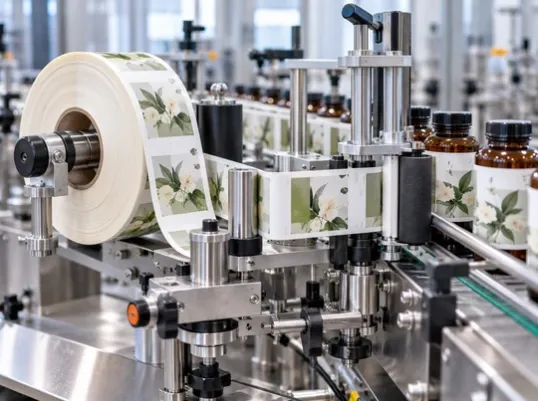
Why Is My Food Label Barcode Not Scanning?
Learn why food label barcodes fail to scan and how printing quality, barcode design, label materials, packaging structure, and professional label checks can prevent scanning issues.
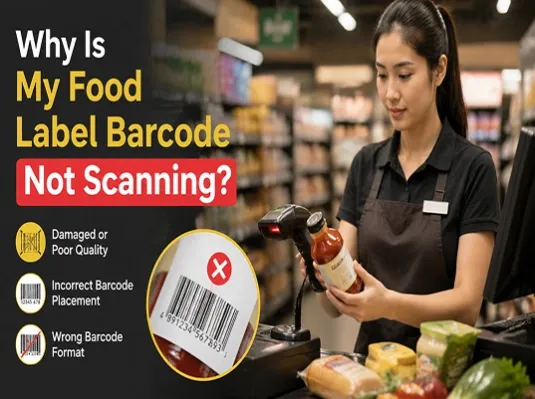
A barcode that does not scan can create unexpected problems for food brands.
Whether it happens during warehouse receiving, inventory management, retail checkout, or supply chain tracking, barcode scanning failures can slow down operations and create unnecessary costs.
Many businesses assume the problem comes from the scanner itself. However, in many cases, the real issue starts much earlier — during the label design, material selection, or printing process.
A food label is not only responsible for presenting your brand image. It also needs to deliver accurate and reliable information throughout the supply chain. When a barcode cannot be scanned properly, it can affect product efficiency, inventory accuracy, and customer experience.
Working with an experienced food label printing partner can help identify these risks before production begins and prevent problems before they reach the market.
Poor Label Printing Quality Can Affect Barcode Scanning
One of the most common reasons a food label barcode fails to scan is insufficient printing quality.
Barcodes rely on precise lines and spaces to store information. Even small printing defects can affect how a scanner recognizes the pattern.
Common printing-related problems include:
- Low printing resolution
- Blurry barcode edges
- Ink spreading or bleeding
- Printing misalignment
- Uneven ink coverage
When barcode lines become unclear or distorted, scanners may struggle to correctly read the information.
This is especially important for food brands using custom labels, where packaging appearance and barcode functionality need to work together. A label may look visually attractive, but if the barcode cannot be scanned consistently, it can create operational issues.
Before printing food labels, a professional label supplier should review the barcode quality and confirm that the final printed result can meet scanning requirements.
Barcode Design Mistakes Can Cause Scanning Problems
Not every barcode issue is caused by printing.
Sometimes, the problem starts during the label design stage.
A barcode requires enough space and proper proportions to work correctly. Common design mistakes include:
- Barcode size being too small
- Insufficient Quiet Zone around the barcode
- Barcode being stretched or distorted
- Poor color contrast between barcode and background
Food brands often focus heavily on packaging aesthetics, but barcode functionality should always be considered during the design process.
A professional label printing company can review barcode placement and provide recommendations before production, helping brands avoid costly reprints.
Label Materials and Finishes Can Impact Barcode Performance
The choice of label material and finishing process can also influence barcode scanning.
Different label materials reflect light differently, and some surfaces may interfere with scanner performance.
Potential issues may occur with:
- Gloss lamination
- Transparent film labels
- Metallic materials
- Highly reflective finishes
A reflective surface may create glare when scanned, reducing the contrast between barcode lines and the background.
This does not mean premium finishes cannot be used. However, the material and finishing combination should always be evaluated based on the actual application.
Packaging Structure Can Affect Barcode Readability
The shape of the package itself can create barcode scanning challenges.
Food products are often packaged in containers with curved or uneven surfaces, including:
- Round bottles
- Small jars
- Curved containers
- Flexible packaging
When a barcode is placed on a curved area, near a sealing edge, or across a folded section, the barcode may become distorted.
Barcode placement should always be considered together with packaging structure.
Environmental Conditions Can Damage Barcode Performance
Food labels often need to survive challenging environments.
During storage, transportation, and usage, labels may experience:
- Refrigeration
- Freezing temperatures
- Moisture exposure
- Friction
- Product handling
Over time, these conditions can damage the label surface and reduce barcode readability.
Choosing the right label material and adhesive is important for maintaining barcode performance throughout the product lifecycle.
Why Professional Label Printing Partners Matter
Many barcode problems can be avoided before printing begins.
A professional label printing partner does more than produce attractive packaging labels. They help brands evaluate whether the complete label solution will work in real applications.
Before production, an experienced supplier can help check:
- Whether the barcode quality meets requirements
- Whether the label material matches the product environment
- Whether finishing options may affect scanning
- Whether barcode placement is suitable for the packaging structure
This process helps solve potential problems at the beginning instead of discovering them after thousands of labels have already been printed.
For food brands, prevention is often much more cost-effective than correction.
Final Thoughts
A food label barcode that cannot scan is rarely caused by a single issue.
Printing quality, barcode design, label materials, packaging structure, and environmental conditions can all influence scanning performance.
For growing food brands, choosing the right label printing partner is not only about getting high-quality packaging. It is also about ensuring that labels perform correctly throughout the supply chain.
By reviewing barcode requirements, materials, and printing details before production, brands can avoid unnecessary waste and ensure their products are ready for real-world use.
A reliable food label partner helps problems end before they begin.